
2 October 2026
release 10-02-26Build Facebook carousel posts from your Media Library, let Auto pick the AI model for you, see how your AI visibility is moving between checks, check your Google Business Profile from the AI Visibility dashboard and fix what's missing from chat, and fixes for the Pending filter, chat shortcuts, OpenAI chats, analytics zeros and video scripts.
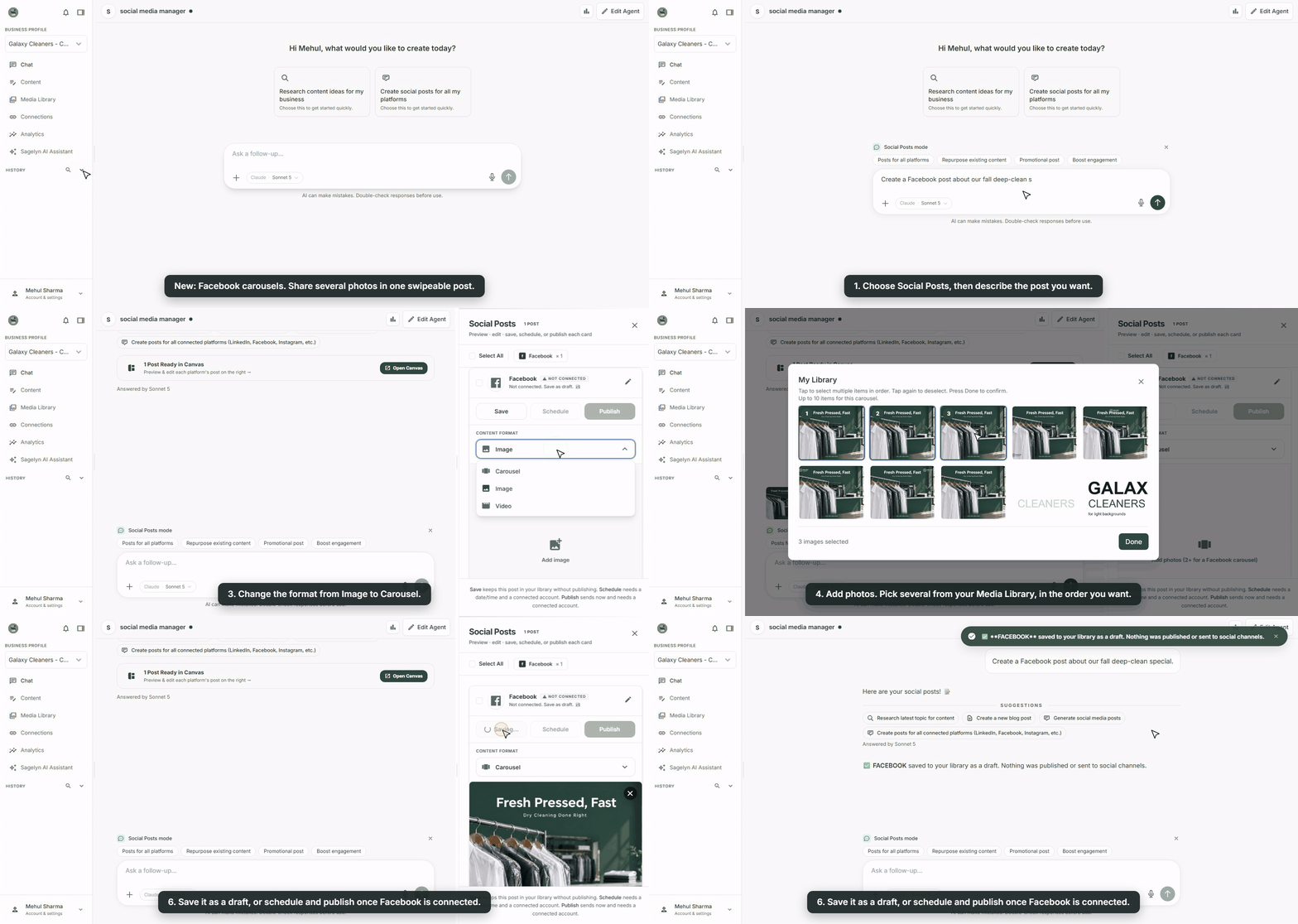
Build a Facebook carousel post from your Media Library New
Open Social Posts in chat, pick Carousel as the format, and choose two or more photos from your Media Library. Sagelyn lays them out as numbered slides so you can check the order, then saves the post as a draft to publish when you're ready.
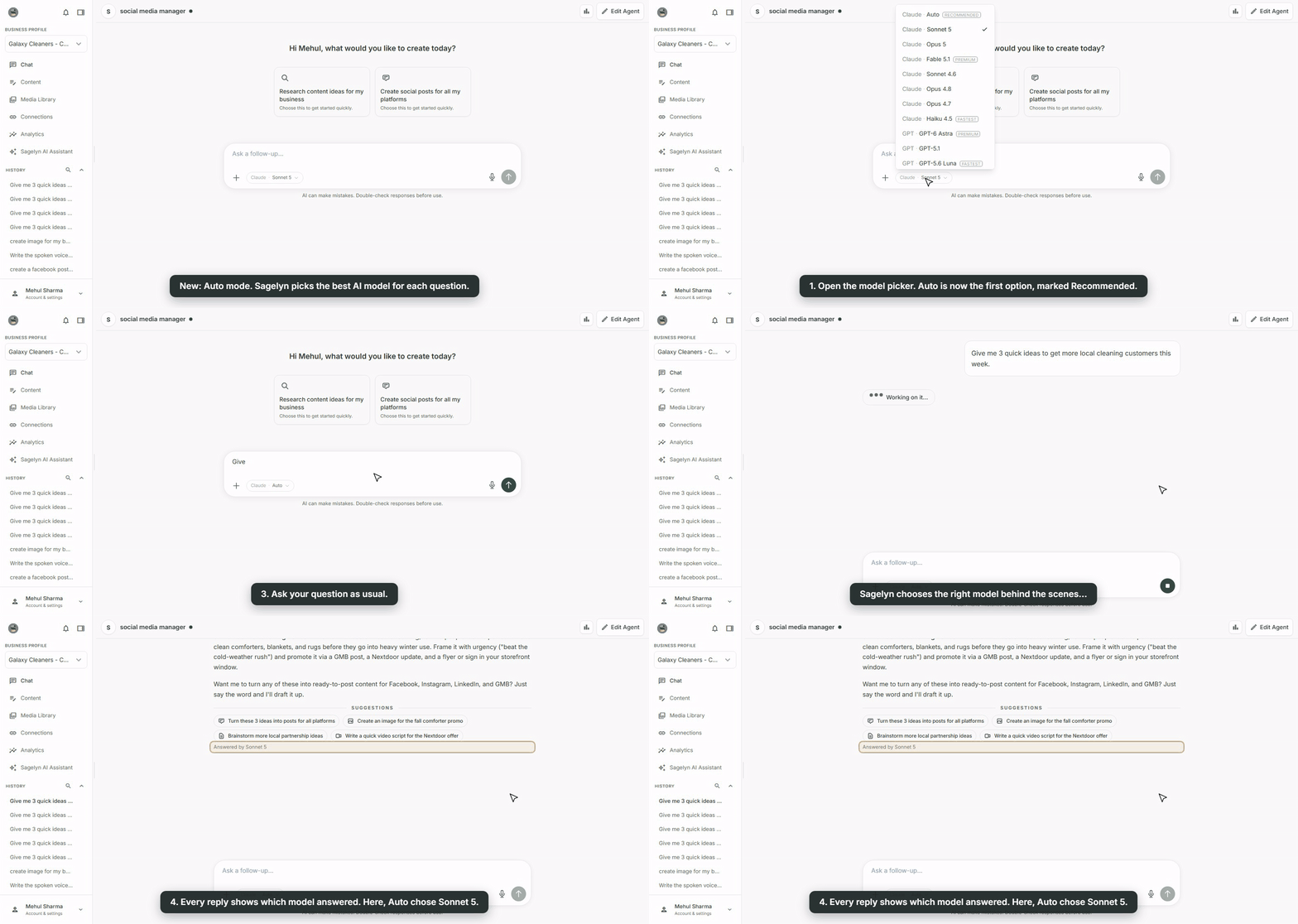
Auto: let Sagelyn pick the AI model New
Not sure which of the AI models to choose? Auto is now the first option in the model picker, marked Recommended. Sagelyn picks the model for you based on the task and the Agent, and every reply shows which model answered it.
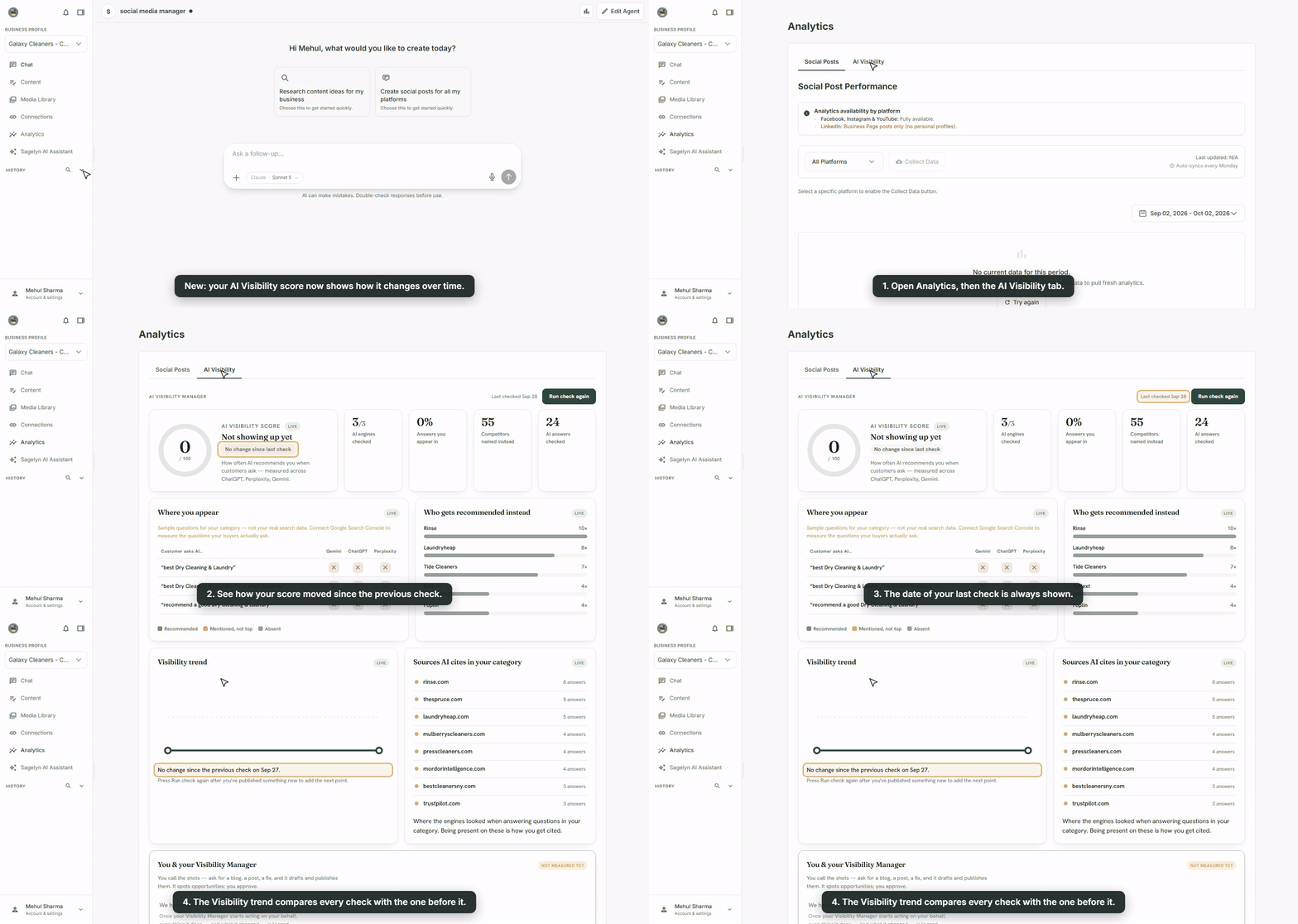
See how your AI visibility is moving New
The AI Visibility dashboard now shows when your last check ran and how your visibility changed since the check before it, so you can tell at a glance whether you're gaining ground, holding steady, or slipping.
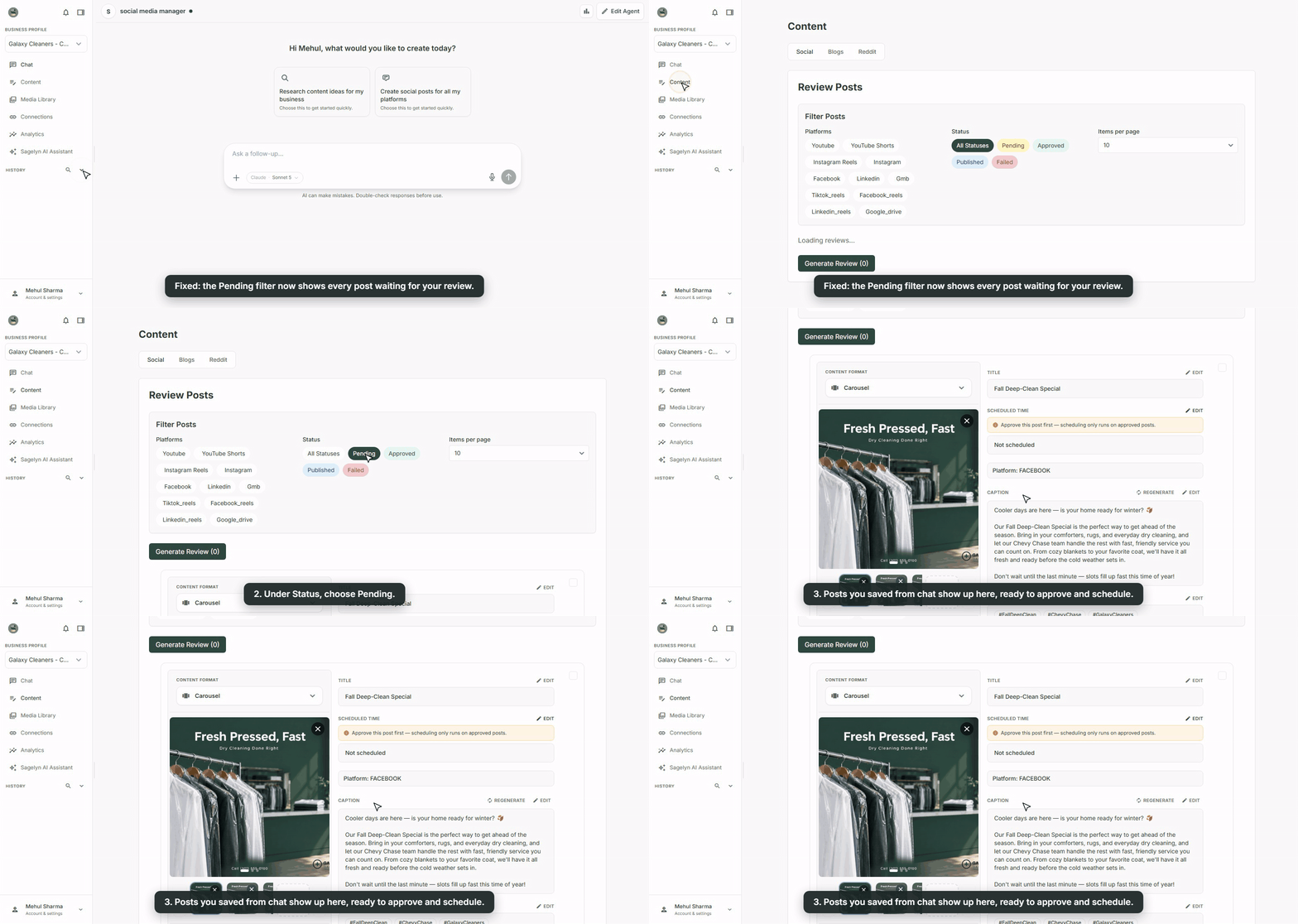
Posts saved from chat now appear under Pending Fixed
In Review Posts, the Pending status filter missed posts that were saved from chat or in a batch, so they seemed to have vanished. They now show up under Pending, including the ones you saved earlier.
See your Google Business Profile in AI Visibility New
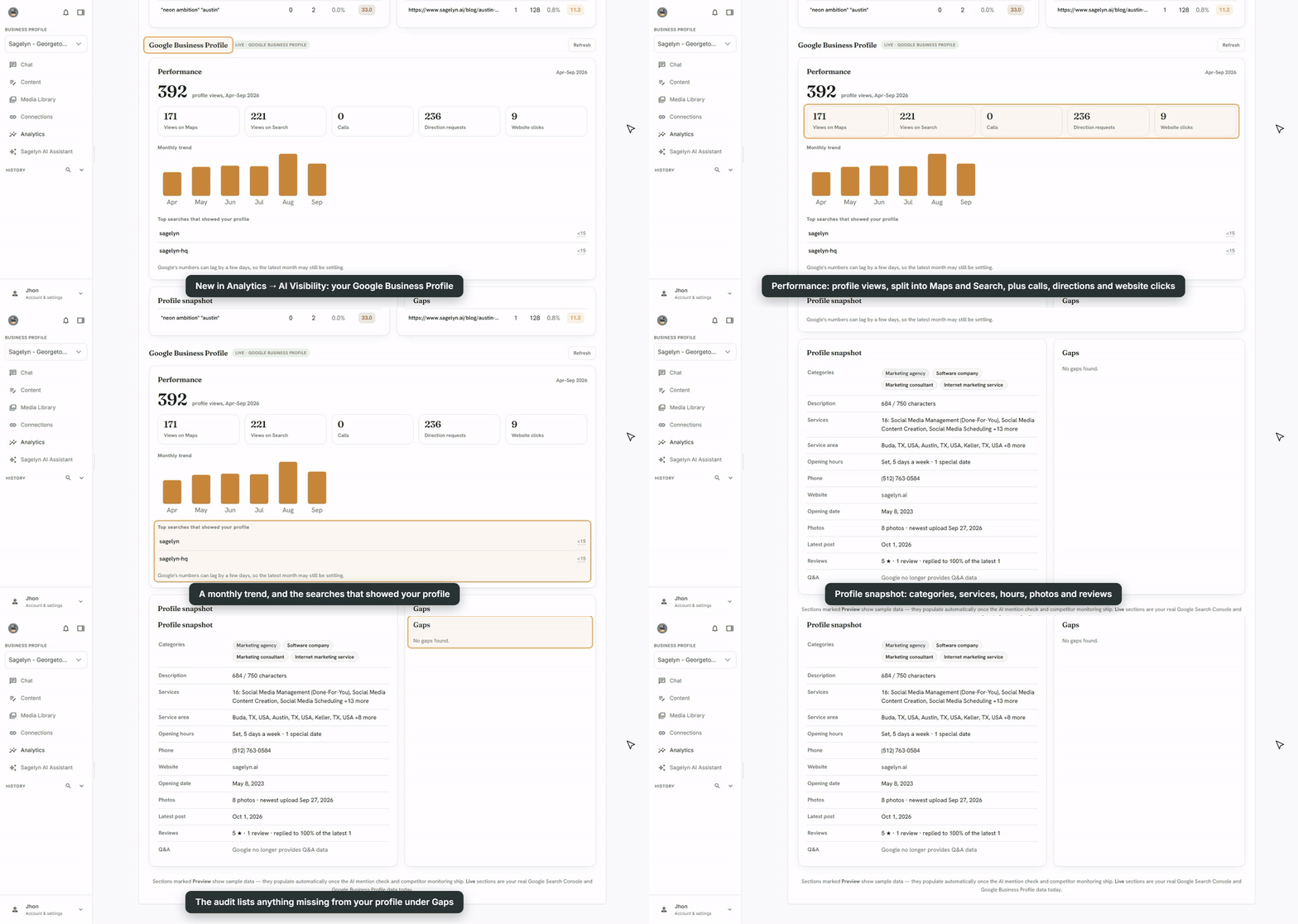
The AI Visibility dashboard now has a Google Business Profile section. See how often people find you on Google Maps and Search, how many call, ask for directions or visit your website, which searches showed your profile, a snapshot of your profile details, and anything that's missing from it. The section only shows your profile; fixing what's missing happens in chat, in the next item. Not connected yet? The section has a Connect button.
Let Sagelyn fix your Google Business Profile New
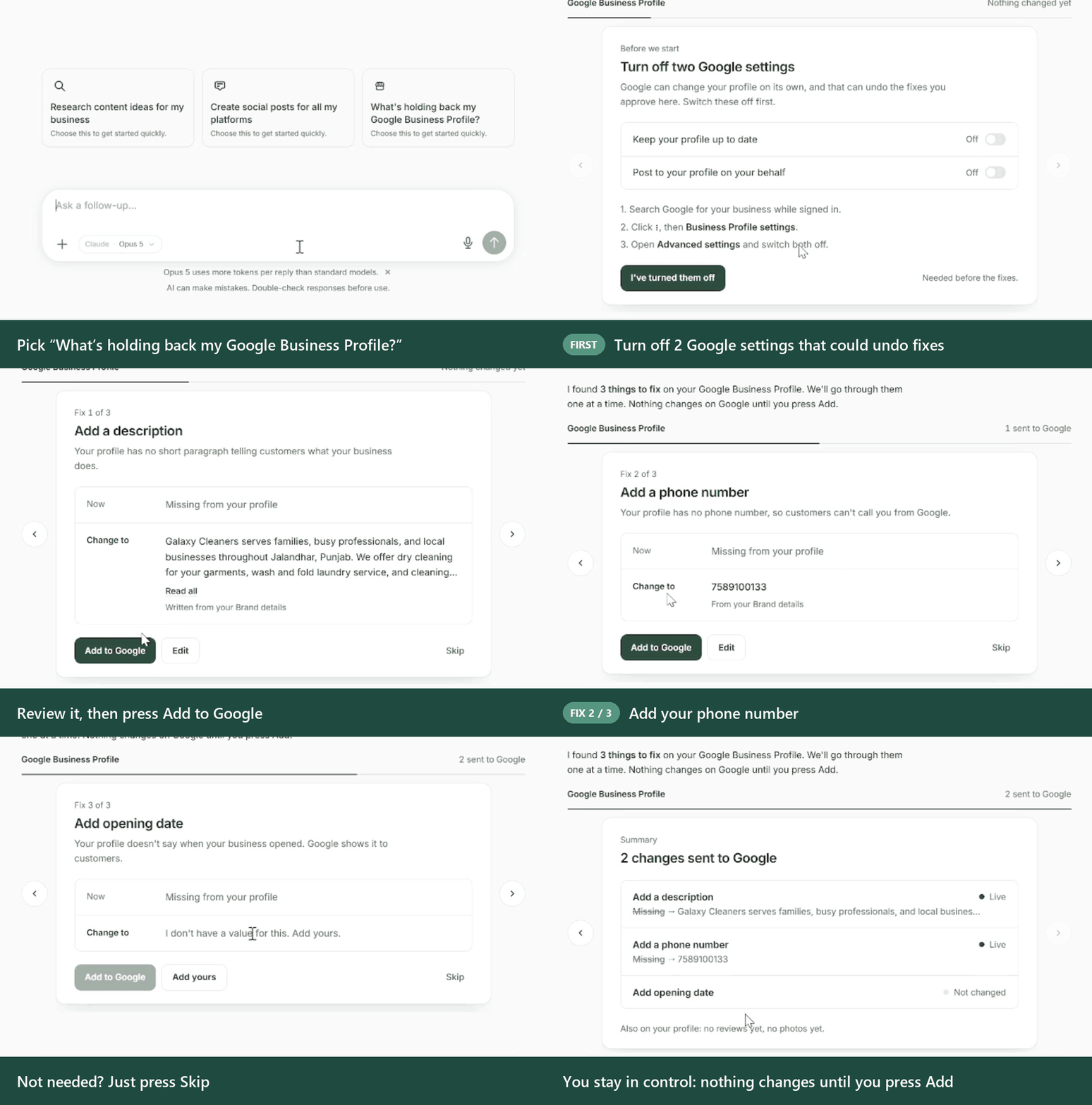
Open the AI Visibility Manager's chat and pick What's holding back my Google Business Profile? on the welcome screen. Sagelyn checks your listing, then takes you through what's missing one fix at a time: a description, phone number, website, services, categories, hours or an opening date. It starts by asking you to switch off two Google settings that could undo changes. Each fix then shows what's on Google now next to the change. Press Add to Google to send it, edit it first, or skip it; nothing changes until you do. At the end you see what's live, what's waiting for Google's review, and what didn't change.
- Chat shortcuts now match the kind of Agent you're using. The + menu in chat now shows the shortcuts that belong to each Agent's job, instead of one list on every Agent:
Receptionist tools no longer appear on Agents that can't use them, and Blog can now be reached from the Social Media Manager's + menu. When you create or edit an Agent, its Tools list offers the same set for its type.Shortcut Social Media Manager Receptionist Visibility Manager (Pro) General Assistant Social Posts ✓ – ✓ – Blog ✓ – ✓ – Create Image ✓ – ✓ ✓ Create Video ✓ – – – Reddit Feed ✓ – – – Quick Search and Deep Research ✓ – ✓ ✓ Scan Business Card and Import Contacts – ✓ – – Outreach Email (needs GoHighLevel) – ✓ – – - A chat running on an OpenAI model could end with an error banner instead of a reply. Chats now complete normally.
- When a platform didn't return numbers for a post, Sagelyn saved a zero, which made the post look like it reached nobody. A failed lookup is no longer stored as a zero. This applies to new data; zeros that were already saved aren't rewritten.
- Generated video scripts could include a raw internal marker in the text. It no longer appears.