
How do I connect LinkedIn to a Brand?
Open the Brand, choose Connections, pick LinkedIn, and sign in. Sagelyn can publish to your personal profile or to a company Page you administer.
Before you start
For a company Page you need to be one of its admins on LinkedIn. If a colleague manages the Page, ask them to add you as an admin first — or have them connect it from their own login.
Connect LinkedIn
- Open the Brand and choose Connections in the sidebar.
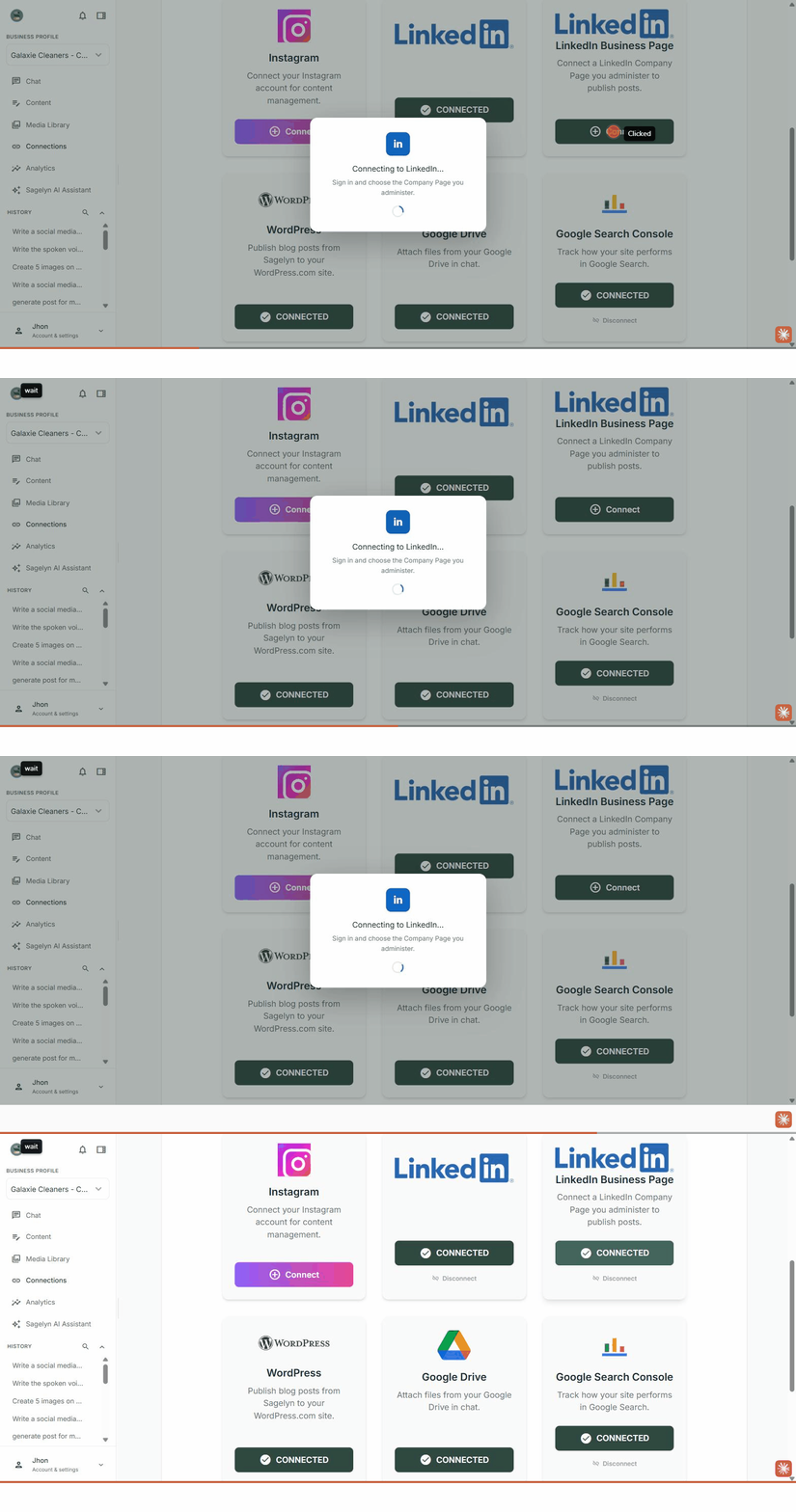
- Choose Connect on the LinkedIn card, or on LinkedIn Business Page for a company Page you administer. LinkedIn opens in a new window.
- Sign in and approve what Sagelyn asks for: permission to post, and for Pages, to read the Page's analytics.
- Under Select a LinkedIn Page, pick the Page to publish to — or Personal profile only. You're back on Connections with LinkedIn showing as connected.
What happens next
The AI Social Media Manager can publish to LinkedIn from now on — when it drafts a post you pick the platforms, and LinkedIn is one of them. Company-Page performance appears on the Analytics page after the next sync.
LinkedIn access expires roughly every sixty days. The bell in the header lights up before it does and brings you back here to reconnect; see Reconnect when a connection expires.
Can I connect both my personal profile and my company Page?
Yes. Connections has two cards — LinkedIn and LinkedIn Business Page. Connect each; they show as separate connections, and you choose which one a post goes to.
Why did LinkedIn disconnect after a couple of months?
LinkedIn access expires roughly every sixty days. The bell in the header lights up before that happens; reconnecting takes the same four clicks as connecting. Nothing else on the Brand is affected.
Does analytics work for LinkedIn?
For company Pages, yes. LinkedIn does not provide analytics for personal-profile posts, so those publish fine but do not report performance.