
How do I review, approve and publish posts?
Every post an Agent drafts waits under Content until you approve it. Edit the caption, hashtags and media, set or change the schedule, approve, and it publishes at the time you set — or press Publish.
Find the post
Open Content in the sidebar. Posts list newest first; filter by platform or by status — Pending, Approved, Published, Failed — and page through 10, 20 or 50 at a time.
Edit it
- Caption, hashtags and call-to-action — edit in place and save. YouTube posts also have a title.
- Media — replace it with an upload, pick something from the Media Library with the photo-library icon, or remove it. Removing media from a post doesn't delete it from the library.
- Format — switch an Instagram post between a single image, video and carousel, or a Facebook post between a single image and a carousel. Carousels let you add, remove and reorder slides, and take 2 to 10; a Facebook carousel is images only.
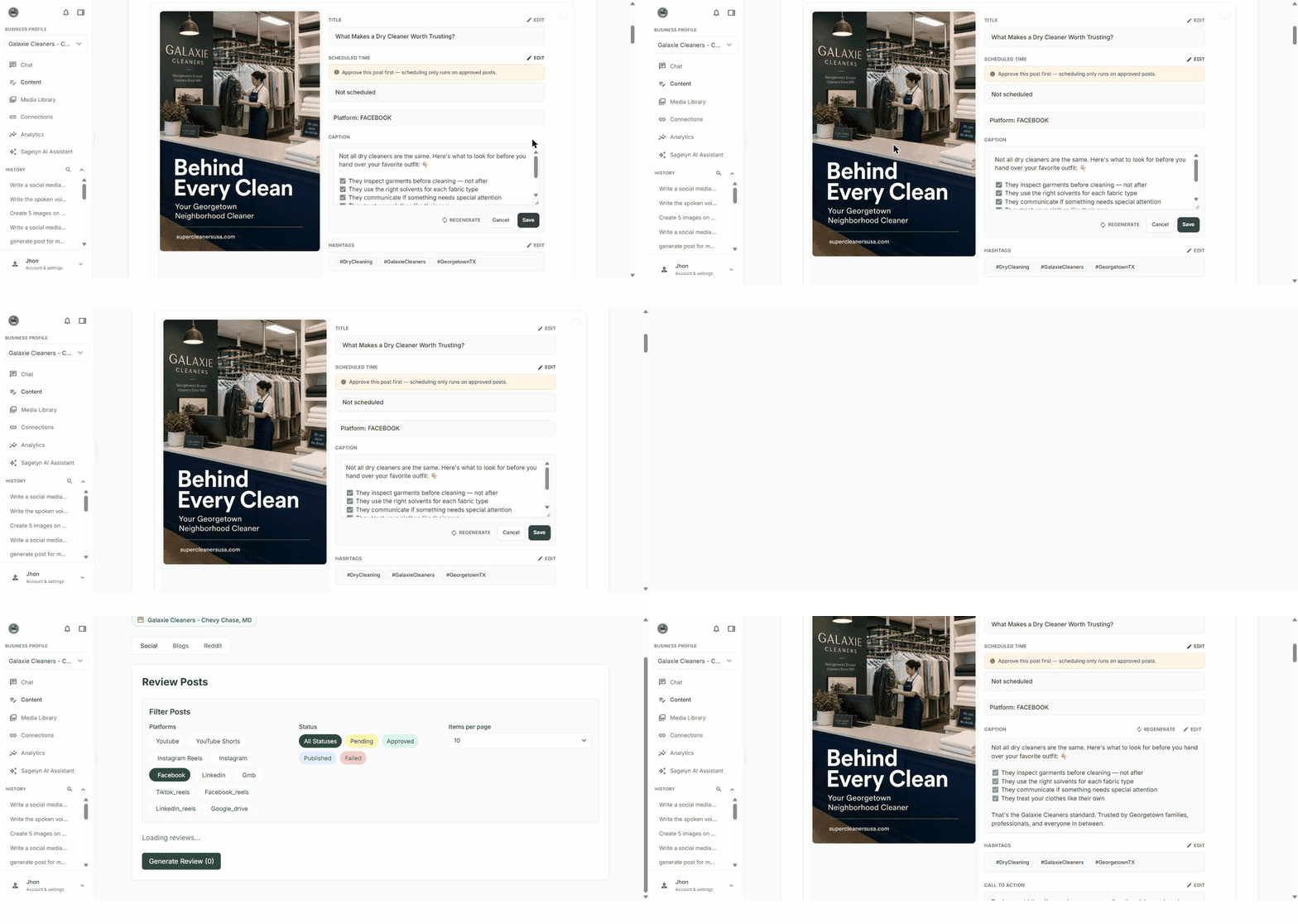
Schedule, approve, publish
- Set or change the scheduled time with the date picker and save.
- Approve the post. It publishes at the scheduled time.
- Or press Publish. The status changes to Published once the platform confirms, and a live link appears that opens the real post.
Get a client's approval
Select several posts and choose Generate Review Link. Share the link; it opens exactly those posts in Sagelyn. Your client needs their own login on the Brand to review and approve them — there is no approving from the link without one.
Delete a post
Deleting removes the post from Sagelyn only. If it's already published, it stays on the platform — Sagelyn warns you of that before it deletes.
Why can't I approve a post?
Most likely it has no media. Approving a post with nothing attached asks you to confirm first, since a text-only post is rarely what you meant. Add an image from the Media Library or replace the media, then approve.
The YouTube post won't publish.
YouTube requires two settings before publishing: a privacy status (public, unlisted or private) and the Made for Kids answer. Set both on the post and it publishes.
If I delete a post in Sagelyn, does it come down from Instagram?
No. Deleting removes it from Sagelyn's records only — you'll see a warning saying so. Remove it on the platform itself if you need it gone there.
Can a client approve posts without logging in?
No. Select the posts and choose Generate Review Link to send them straight to those posts, but they need their own login on the Brand to review and approve them.