
What can I do from the + menu in chat?
The + button next to the message box is where you attach files and choose a task: search, research, posts, images, a blog, a video, the Reddit Feed, a business card, or a contact list. Pick one, then say what you want.
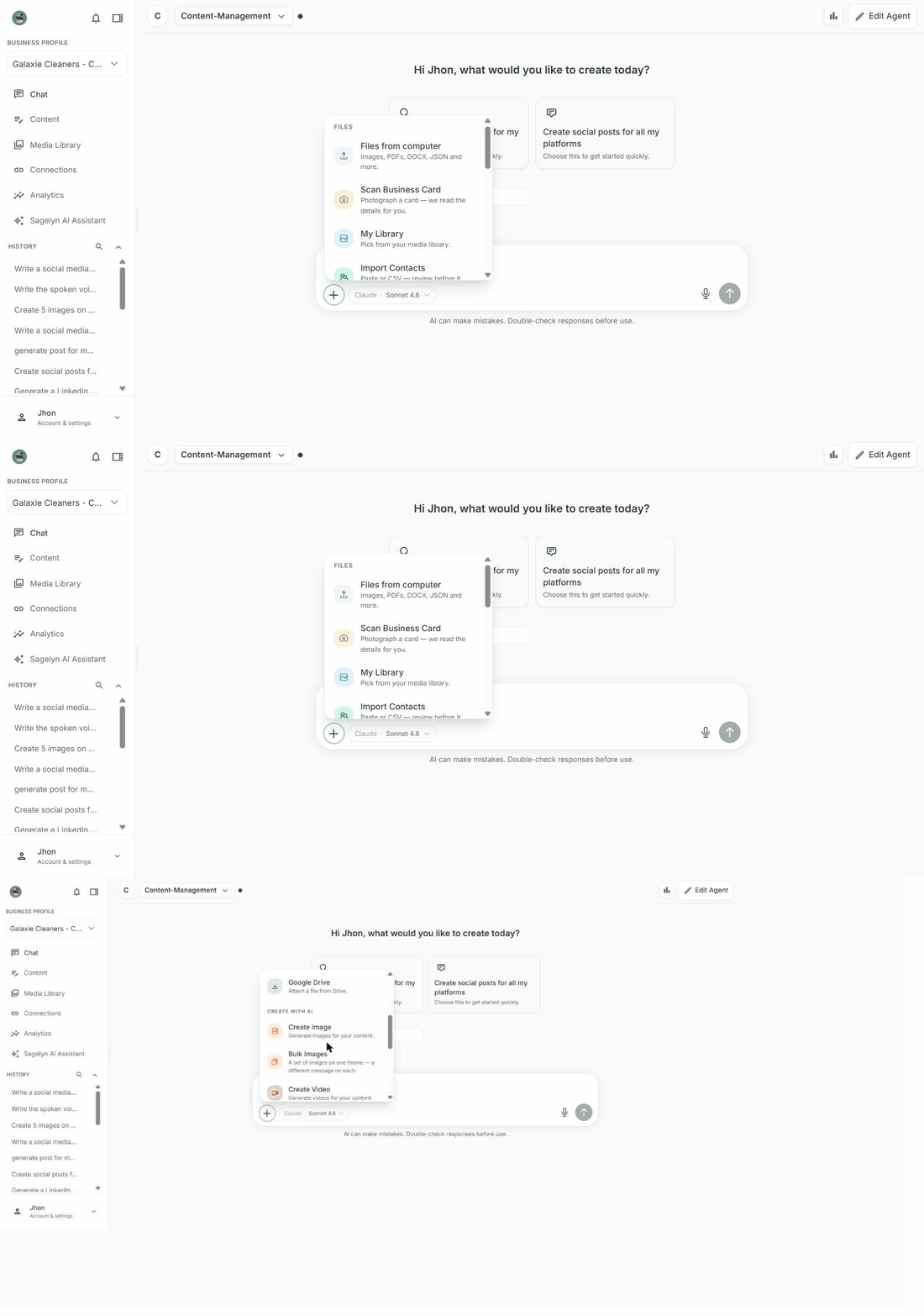
Files
- Files from computer — images, PDFs, DOCX, JSON and more, attached to your message.
- Scan Business Card — photograph a card; the details are read for you. See Scan a business card.
- My Library — pick something already in the Brand's Media Library.
- Import Contacts — paste a list or a CSV and review it before anything is written. See Import contacts.
- Google Drive — pick a file from a connected Drive.
Tasks
- Create Image — describe it; an image appears in the chat in ten to twenty seconds and is saved to the Media Library.
- Bulk Images — a set that belongs together: same style, colours and framing across all of them.
- Create Video (Pro) — a UGC-style video with an AI presenter. See Make a UGC-style video.
- Reddit Feed (Pro) — threads where your business could answer, with drafted replies. See Find Reddit threads to answer.
- Quick Search — a sourced answer to a factual question in a few seconds.
- Blog (Pro) — a full draft with title, excerpt, category and featured image, ready to edit under Content. See Write and publish blogs.
- Social Posts — posts for every connected platform from one brief, as an editable card; they're saved under Content for review. For a Facebook post you can choose Carousel as the format and pick two or more photos from your Media Library.
- Deep Research (Pro) — a longer, multi-source report; allow a minute or two.
Which Agent has which options
The + menu follows the type of Agent, so each Agent shows the options that fit its job.
| Option | Social Media Manager | Receptionist | Visibility Manager (Pro) | General Assistant |
|---|---|---|---|---|
| Create Image and Bulk Images | ✓ | – | ✓ | ✓ |
| Create Video (Pro) | ✓ | – | – | – |
| Reddit Feed (Pro) | ✓ | – | – | – |
| Quick Search | ✓ | – | ✓ | ✓ |
| Deep Research (Pro) | ✓ | – | ✓ | ✓ |
| Blog (Pro) | ✓ | – | ✓ | – |
| Social Posts | ✓ | – | ✓ | – |
| Scan Business Card | – | ✓ | – | – |
| Import Contacts | – | ✓ | – | – |
| Outreach Email (needs GoHighLevel) | – | ✓ | – | – |
Logo and brand colours
Generated images use the Brand's saved colours automatically, without you mentioning them, and never invent a logo. If you want your real logo in a composition, choose Use Logo in the composer to attach it.
Why don't I see Bulk Images or Create Video?
Which options appear depends on the Agent. Create Image and Bulk Images are on every Agent except the Receptionist, and Create Video belongs to the AI Social Media Manager. The table on this page lists every option by Agent.
Some options are marked Pro. What happens if I pick one on Starter?
You'll see an upgrade prompt rather than the tool. Deep Research, Blog, Create Video and the Reddit Feed are Pro.
Where do generated images and videos go?
Into the Brand's Media Library, as well as appearing in the chat. You can reuse them on any post later.